Reports in Rime Editor
Rime Editor is coming soon. This page previews the intended report review
workflow; use rime build from the CLI for generated reports today.
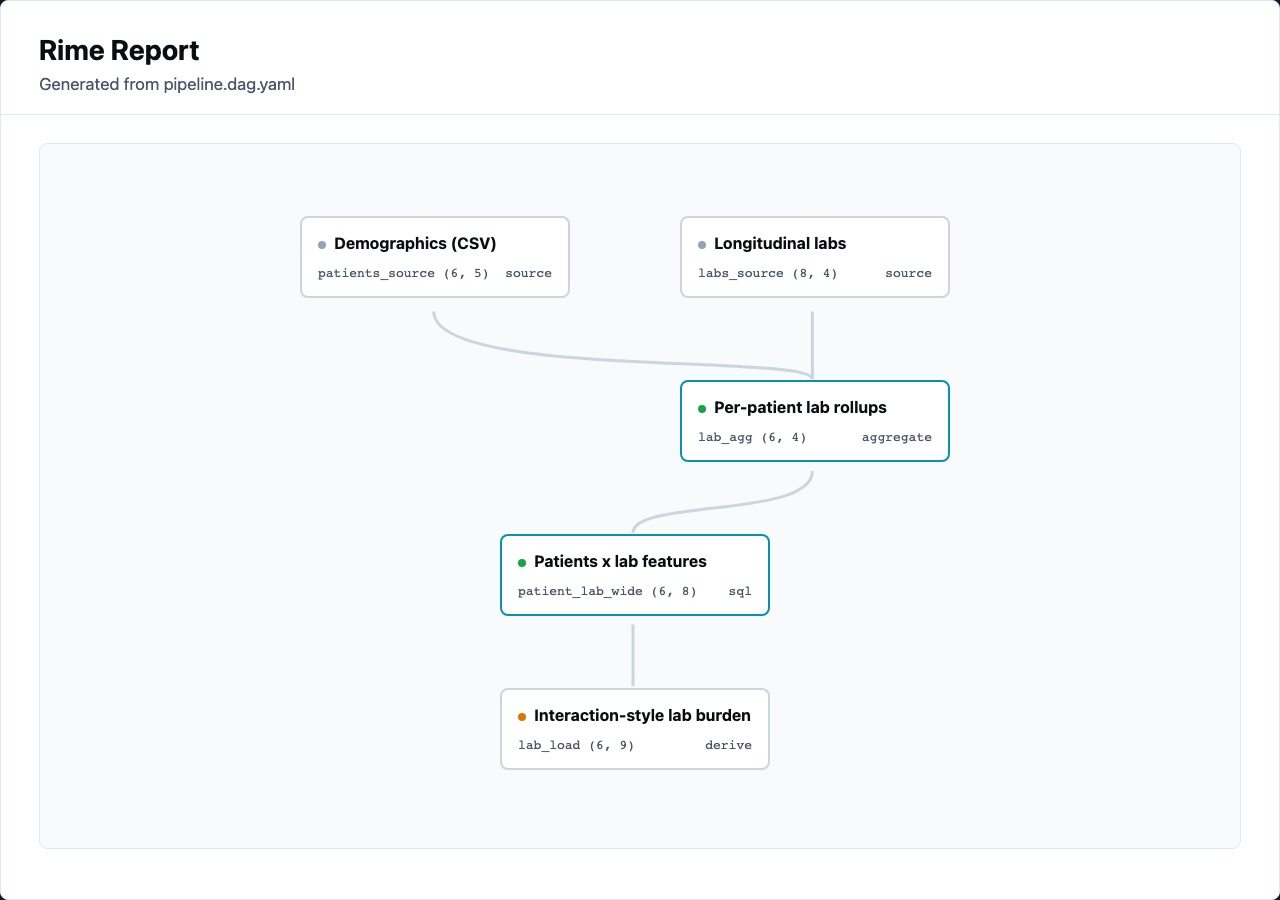
The Report tab is the editor-facing view of the current generated report. It should feel like evidence, not a second authoring format: one current spec, one current run, one report preview.
What The Report Preview Is For
Section titled “What The Report Preview Is For”Use the in-app report when you want to answer:
- Which nodes ran, cached, failed, or skipped?
- What did each node output?
- Are output sizes plausible?
- Did any statistical warning change how the result should be interpreted?
- Is the generated HTML ready to open in a browser?
Use View in browser when you need to inspect the final artifact with browser devtools, print/PDF behavior, or shareable layout.
DAG Overview
Section titled “DAG Overview”The report DAG is a compact map of the run. Nodes should show:
- node label and id
- kind
- status color
- output size tuple such as
(720, 18) - multiple outputs as
(...), (...) - warning state when assumption checks fire
Edges are intentionally simple curves. Direction comes from the top-to-bottom graph layout; arrowheads are not required for review.
Output Sections
Section titled “Output Sections”Table outputs should show shape and preview. Object outputs from statistical nodes should show the important fields as a stat block.
For example, a correlation node should make these visible together:
coefficientp_valuenmethodcoefficient_ci_95- warnings such as Pearson/Spearman disagreement
That combination matters more than a raw JSON dump.
Warnings Belong Next To The Result
Section titled “Warnings Belong Next To The Result”Rime’s statistical nodes can emit assumption warnings during execution. The report renderer groups them as info, warning, or critical callouts.
Examples:
- chi-square: expected cells below 1 or many expected cells below 5
- t-test/ANOVA: very small groups, skew, outlier rate, variance ratio
- correlation: small sample, Pearson/Spearman disagreement
- linear regression: small sample, high-residual outliers
The editor should not make users hunt through logs for these. They belong beside the statistic.
Relationship To CLI Reports
Section titled “Relationship To CLI Reports”The editor preview and CLI report are the same artifact path in different contexts:
rime build pipeline.dag.yamlThe editor helps review the report while you are still shaping the DAG. The CLI is the automation surface for producing it in CI or a scripted launch workflow.